Overview
The error "In progress" was encountered when attempting to run new sync jobs to the pricing server, as a previous job was still active. The problem was resolved by terminating the stuck job and updating an organization-level flag to allow new syncs.
Information
Issue: Pricing synchronization job stuck "In progress", preventing new sync jobs.
Resolution Steps:
-
Identify the Stuck Job:
- Check the job status using the endpoint:
https://your_instance_url/synchronizations - Note the job ID and status message.
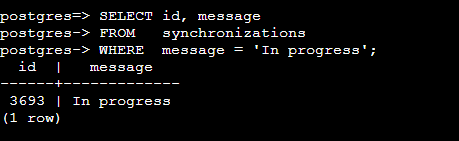
- You can also check in DB directly:
- Check the job status using the endpoint:
-
Terminate the Stuck Job:
- Access the database using the appropriate credentials.
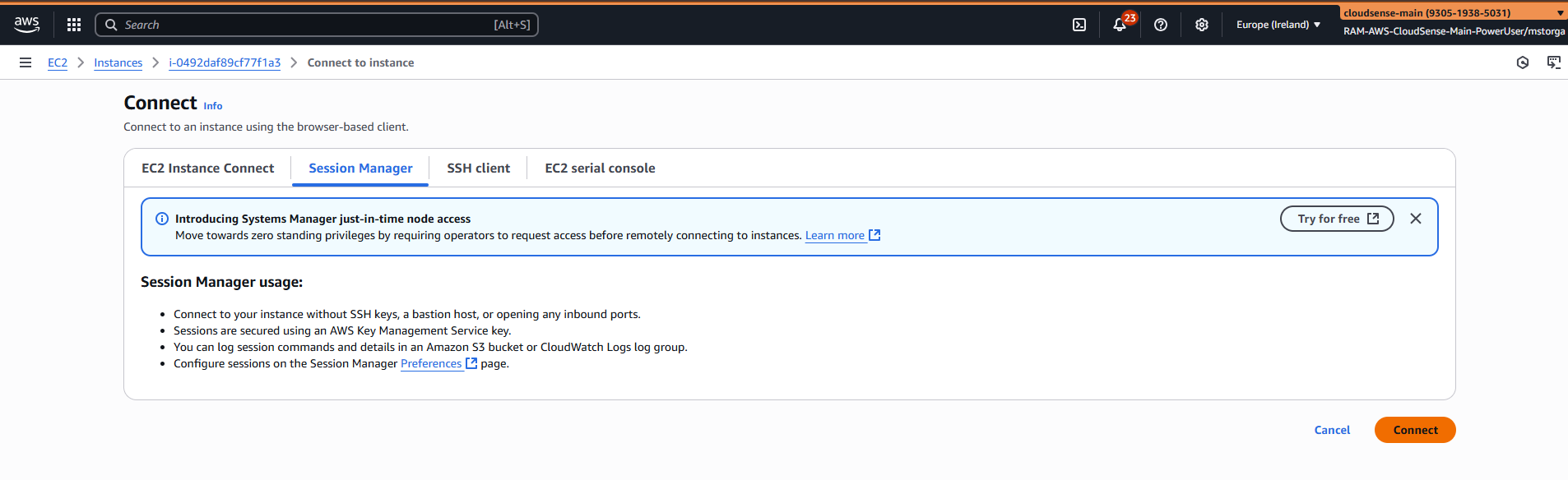
- You will need to connect to the PS DB from the above EC2 instance (assumption is you have AWS access to the account from the screenshot)
- psql postgresql://cs_postgres_sb:password@pricing-service-sandbox-eu-db.c5gsdjpcj6nv.eu-west-1.rds.amazonaws.com:5432/postgres
- Execute the necessary commands to terminate the job. (as this ticket is missing some information, you'll find everything on an example ticket 60219605)
-
Update Organization-Level Flag:
- Connect to the database and execute the following SQL command:
-
UPDATE public.organizations
SET is_synchronizing = false
WHERE org_id = '<your_org_id>';
-
Verify Resolution:
- Attempt to initiate a new sync job.
- Confirm that the new sync job starts and completes successfully.
Note: If issues persist, ensure that all organization-level flags are correctly set and that no other jobs are stuck in progress.
Frequently Asked Questions
- How do I know if this error applies to my situation?
- You'll see the status "In progress" for a sync job that was initiated but never completed, preventing new sync jobs from starting.
- What should I do if terminating the job doesn't resolve the issue?
- Ensure that the
is_synchronizingflag at the organization level is set to false. This flag can prevent new syncs from starting if not correctly configured. - How can I verify that the sync job is no longer stuck?
- After terminating the job and updating the flag, initiate a new sync job and check that it starts and completes without errors.
Matej Storga
Comments